- Automated Tax Data Extraction: OCR converts scanned tax forms into machine-readable data, reducing manual entry errors.
- Improved Accuracy and Validation: IDP combines OCR, AI, and validation rules to identify errors before processing.
- Faster Financial Workflows: Automated tax document processing simplifies income verification, compliance checks, and accounting operations.
A paper tax return can look perfectly readable to a person and still create problems during manual data entry. One mistyped income figure, taxpayer ID, or withholding amount can trigger rework, delays, and incorrect downstream decisions. Numbers speak for itself as before broader scanning adoption, IRS employees made transcription errors on about 22% of manually transcribed paper individual returns. During the 2026 filing season, the IRS digital-processing initiative reported overall OCR accuracy of approximately 95%.
OCR for tax documents changes the intake process by turning scanned forms and images into machine-readable text. Instead of asking staff to rekey every field, organizations can capture tax data automatically and route uncertain values for review. Modern document processing systems can then validate, classify, and structure that data for business use.
This article explains how tax-document OCR works, which forms it can process, why accuracy matters, and where IDP adds value beyond text recognition.
What Is OCR for Tax Documents?
OCR for tax documents uses Optical Character Recognition to identify letters, numbers, and symbols in scanned or image-based tax forms. It converts visual content into machine-readable text so systems can capture values such as wages, tax withheld, employer IDs, interest income, and taxpayer information without manually typing every field.
How OCR Differs from Intelligent Document Processing (IDP) for Tax
OCR and IDP serve different parts of the same document workflow. OCR reads text from a tax document and converts it into digital characters. IDP uses that OCR output with AI, machine learning, validation rules, document classification, and workflow logic. OCR remains a core part of IDP because accurate text capture gives the wider system reliable information to interpret, verify, and export.
Which Tax Forms and Documents Can Be Processed with OCR?
Tax workflows rarely depend on one form. They often combine wage records, income statements, returns, schedules, and supporting documents. OCR for tax documents can capture data from these files, while IDP can identify document types and organize the extracted fields for downstream use.
How OCR and IDP Extract Data from Tax Documents
Automated tax document processing usually follows a sequence from image capture to system-ready data. OCR performs the reading step, while IDP adds document understanding, validation, review controls, and integration. The result is a workflow that can handle larger document volumes with fewer manual data-entry steps.
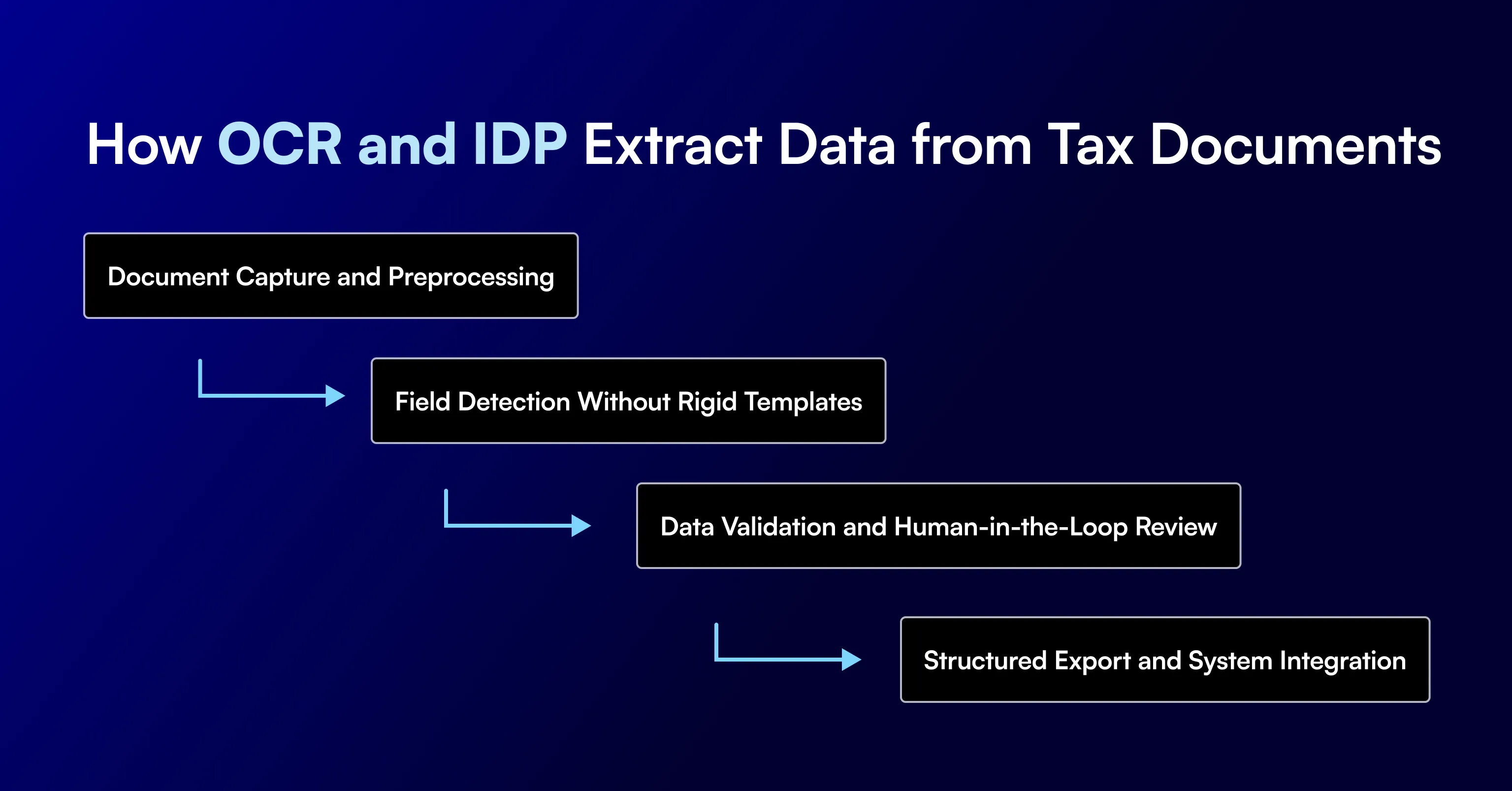
Document Capture and Preprocessing
The system ingests PDFs, scans, images, email attachments, or uploaded files. Preprocessing can correct rotation, reduce image noise, improve contrast, separate pages, and identify document boundaries before OCR reads the text.
Field Detection Without Rigid Templates
AI-based extraction can locate tax fields even when values move across layouts or versions. Instead of relying only on fixed coordinates, the system uses labels, context, document structure, and learned patterns to identify relevant information.
Data Validation and Human-in-the-Loop Review
Extracted values can be checked against expected formats, business rules, cross-document values, or confidence thresholds. Fields that fail a check can be routed to a reviewer instead of passing uncertain data to the next system.
Structured Export and System Integration
Validated tax data can be converted into JSON, XML, CSV, or another required schema. APIs and connectors can then send the data to loan origination systems, tax platforms, accounting tools, compliance systems, or internal databases.
Why OCR Accuracy Matters for Tax Documents
Tax documents contain fields that can directly affect financial, lending, accounting, and compliance decisions. A small recognition error can change reported income, withholding, identification numbers, or calculated values. OCR accuracy therefore depends on both the recognition engine and the quality of the source document.
Common causes of extraction errors include:
- Low-resolution scans that blur digits and small text.
- Handwritten notes or values with inconsistent character shapes.
- Skewed, rotated, cropped, or partially captured pages.
- Stamps, signatures, highlights, or marks placed over important fields.
- Non-standard layouts created by different payroll, accounting, or tax software.
- Similar-looking characters such as 1 and 7, 0 and O, or 5 and S.
- Multi-page returns where related values appear on different schedules.
- Poor photocopies, faded text, shadows, or compression artifacts.
More capable document processing software can reduce these issues through image cleanup, context-based extraction, confidence scoring, rule checks, cross-document validation, and human review for uncertain fields.
Business Use Cases for Tax Document OCR
OCR for tax documents is useful anywhere teams must read tax forms at volume and move selected values into another workflow. The strongest use cases combine text capture with validation and structured export, especially where tax data affects a financial decision, compliance process, or client deliverable.
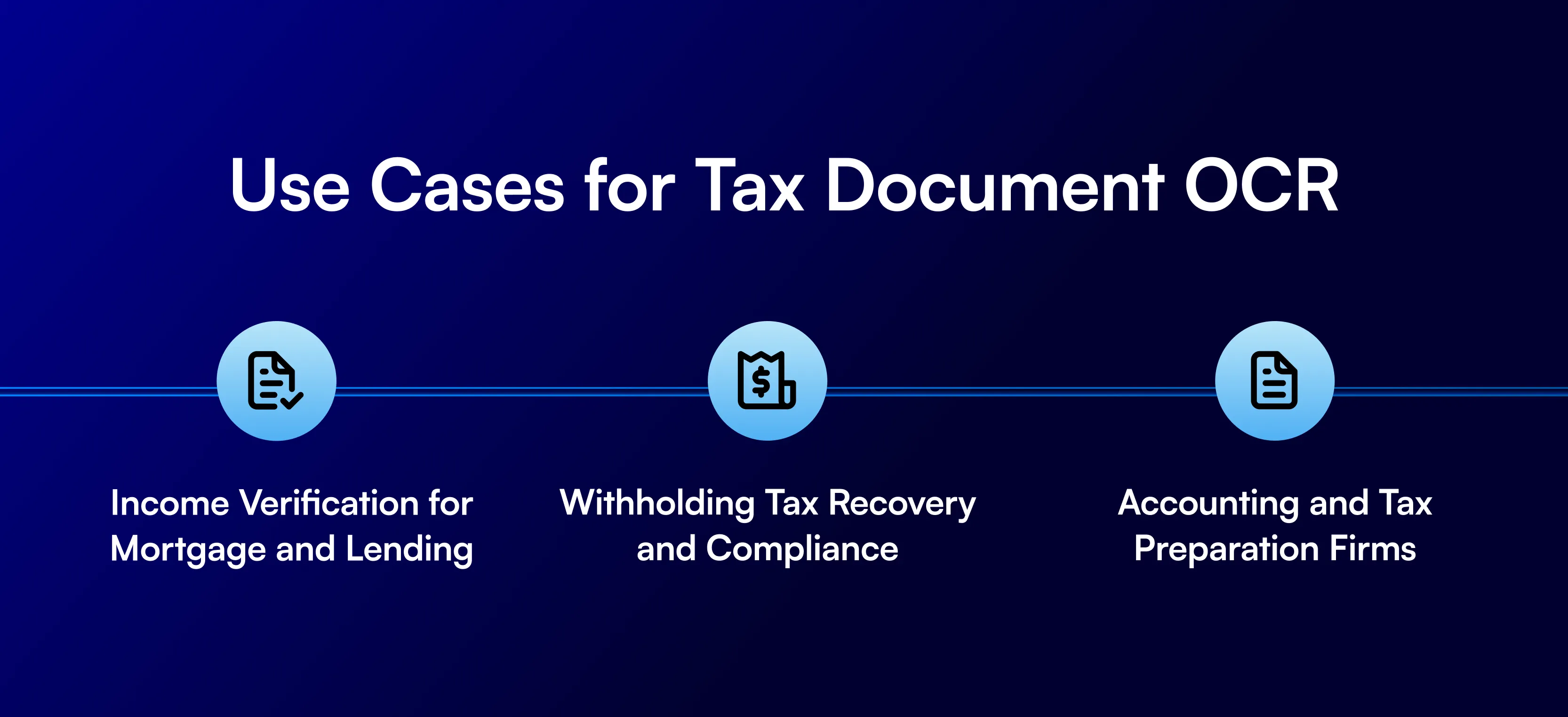
Income Verification for Mortgage and Lending
Lenders can extract wages, employer details, tax income, K-1 values, and other earnings data from W-2s, 1099s, tax returns, and transcripts. Structured data can support faster income verification and document comparison during underwriting or quality control.
Withholding Tax Recovery and Compliance
Finance and tax teams can capture withholding amounts, payer details, tax IDs, jurisdictions, and supporting transaction data. Automation helps organize evidence, compare records, and prepare data for recovery, reporting, or compliance review.
Accounting and Tax Preparation Firms
Accounting firms can capture client tax information from incoming documents and move it into preparation or review workflows. This reduces repetitive keying and gives staff more time to investigate exceptions, verify values, and complete higher-value tax work.
How to Choose OCR/IDP Technology for Tax Document Processing
The right technology depends on document variation, required fields, accuracy targets, review needs, security controls, and the systems that receive the output. Teams should test software against real tax documents rather than clean sample forms because production files often contain layout changes, scan defects, and mixed document types.
Template-Based vs. Template-Free (AI) Extraction
Template-based extraction works well when every form follows a stable layout and each field stays in a predictable position. Template-free AI extraction is better suited to varied tax packages because it can identify fields through labels, context, structure, and learned document patterns rather than fixed coordinates alone.
Accuracy, Compliance, and Data Security Requirements
Evaluate field-level accuracy, confidence scores, validation options, exception handling, audit trails, access controls, encryption, retention policies, and deployment requirements. The system should also show how it handles uncertain values so reviewers can correct errors before data reaches financial or compliance workflows.
Infrrd combines OCR with AI and machine learning to classify, extract, validate, and structure information from structured, semi-structured, and unstructured documents. Its technology supports document-heavy workflows across mortgage, insurance, and financial services without requiring a separate fixed template for every variation. In one insurance deployment, Infrrd handled 2.1 million live document variations. This demonstrates how a broader IDP approach can support high document variation with limited per-format setup.
Conclusion
Tax document processing depends on accurate data capture. Manual entry can slow workflows, create avoidable errors, and increase the amount of review required before data can be used.
OCR for tax documents helps automate the first stage of that process by converting scanned forms into machine-readable data. Its value increases when OCR is combined with document classification, validation, confidence scoring, and human review. The right OCR or IDP solution can help businesses process tax documents faster while keeping extracted data reliable and ready for downstream systems.
Frequently Asked Questions
How accurate is OCR for tax forms?
Accuracy depends on scan quality, document layout, handwriting, field type, and the OCR system. Validation and review controls can improve usable output.
Can OCR read handwritten tax documents?
Yes. Some OCR and handwriting-recognition systems can read handwritten values, but results depend heavily on handwriting clarity and image quality.
Is OCR different from Intelligent Document Processing?
Yes. OCR converts document images into machine-readable text. IDP adds classification, AI-based extraction, validation, review logic, and system integration.
What tax forms can be processed automatically?
Common examples include W-2s, 1099s, Form 1040, Schedule K-1, tax transcripts, payroll records, and supporting tax schedules.