- Manual data entry creates operational bottlenecks and frequent errors, exhausting employee time that should be spent on strategic goals.
- Shifting from manual data entry to intelligent automation allows companies to scale their document workflows without hiring additional staff.
- Automated systems replace manual data entry by instantly extracting and validating information, ensuring higher accuracy and stronger regulatory compliance.
Manual data entry remains a critical yet often overlooked challenge in business operations. Despite its prevalence, this routine task quietly limits growth, disrupts productivity, and introduces a mounting risk over time. The fact that 38% of businesses have already automated data entry shows how widespread the issue is, yet many organizations continue to rely on manual processes, costing them valuable time and resources.
The human toll of manual data entry is just as significant. Studies show that 76% of employees have less than three hours a week available for strategic thinking, with most of their time consumed by monotonous tasks like entering data. Over time, this affects not only individual productivity but also overall job satisfaction, leading to disengagement and burnout.
Financially, the impact is even more profound. Employees waste up to 19 working days per year on administrative tasks alone, which adds up to substantial costs for businesses. As companies scale, the inefficiencies of manual data entry become even more apparent, creating a bottleneck that hinders growth and profitability.
In this guide, we’ll explore the challenges posed by manual data entry, its effects on productivity, and the solutions businesses are turning to automated workflows that can replace this costly, time-consuming process and drive greater efficiency across the board.
What Is Manual Data Entry?
Manual data entry is the process of typing or copying data from one source into another system. A person reads information from a document, email, or image and enters it into software such as an ERP or CRM.
This process relies fully on human effort at every step. It requires attention, repetition, and time. As document volume increases, the process becomes slower and harder to manage. Manual data entry does not scale well. More data means more manual work, which increases delays and operational strain.
Examples of Manual Data Entry Processing
Manual data entry is a widespread practice across industries. It typically involves tasks such as entering invoice data into ERP systems, typing borrower information from loan documents, recording insurance policy details, and extracting data from engineering drawings. In each case, the process follows the same fundamental pattern: a person reads a document, interprets its content, and inputs the relevant data into a system, repeating this cycle for every document they encounter.
Types of Manual Data Entry Processes
Manual data entry takes several forms, each with its own context and challenges.
Spreadsheet-based entry
One of the most common approaches involves teams inputting rows of data into tools like Excel or Google Sheets. This method is widely used across departments as a flexible way to organize, track, and share information, though it can quickly become difficult to manage as data volumes grow.
Form-based data input
Another prevalent method requires users to populate structured fields within web or desktop applications. This typically occurs as part of a defined business workflow, where consistency in input format matters, but the manual effort involved can slow down otherwise streamlined processes.
Copy-paste from emails and PDFs
Perhaps the most time-intensive approach involves extracting data from unstructured sources such as emails, scanned documents, or PDFs and transferring it into operational systems. Because the source material lacks a consistent structure, this process is especially prone to human error and inconsistency across records.
Legacy system data entry
Older platforms with limited integration capabilities often leave teams with no choice but to enter data entirely by hand. Without automated transfer mechanisms, employees must bridge the gap between systems manually, creating significant bottlenecks in day-to-day operations.
Each of these approaches creates a dependency on human input, and over time, that dependency tends to introduce delays, increase error rates, and reduce overall operational efficiency.
Challenges of Manual Data Entry
Manual data entry is far from a frictionless process. Across industries, organizations encounter a recurring set of challenges that affect accuracy, speed, and long-term scalability.
Human Errors and Data Accuracy Issues
Manual data entry is inherently vulnerable to human error. A single typo can alter a financial value or corrupt a compliance record, and if left undetected, such mistakes can propagate across multiple systems. Beyond the initial error, inaccuracies also generate rework; teams must go back, identify the problem, and correct the data before it can flow into downstream processes.
Time-Consuming Repetitive Work
One of the most significant drawbacks of manual data entry is the sheer amount of time it consumes. Employees repeat the same steps for every document they process, leaving little room for higher-value work such as analysis or strategic decision-making. Research consistently shows that a substantial portion of the average workweek is absorbed by these repetitive tasks rather than activities that drive business outcomes.
Operational Bottlenecks in Business Workflows
Manual steps naturally slow down workflows. Documents sit in queues, waiting for human review before moving to the next stage, creating bottlenecks in critical processes such as loan approvals and insurance claims processing. As document volumes increase, these bottlenecks compound, and teams find themselves unable to keep pace without bringing on additional staff.
Scaling Problems in High-Volume Processes
Manual data entry simply does not scale efficiently. Business growth, rather than being absorbed by smarter systems, demands more people, which drives up costs and introduces further delays. High-volume industries such as mortgage and insurance are especially affected, as a single loan file can span hundreds of pages, each requiring careful review and data extraction.
Compliance and Audit Risks
In regulated industries, the accuracy and consistency of documentation are non-negotiable. Manual processes make it harder to meet these standards, since missing data, incorrect entries, and version mismatches can all create serious audit vulnerabilities. Maintaining a clean, defensible audit trail becomes increasingly difficult when human input is the primary mechanism for data management.
Hidden Costs of Manual Data Handling
Beyond the visible inefficiencies, manual data entry carries a set of hidden costs that rarely surface in financial reports but affect business performance. These include time lost to error correction, revenue opportunities missed due to processing delays, and the long-term impact of employee burnout that stems from sustained, repetitive work.
Why Companies Still Use Manual Data Entry
Despite its limitations, manual data entry continues to persist in organizations of all sizes. Several structural and organizational factors explain why many businesses have yet to move away from it.
Legacy Systems and Fragmented Technology
A significant number of organizations continue to rely on older systems that lack native integration with modern platforms. In these environments, manual entry becomes the de facto bridge between disconnected tools. While replacing legacy infrastructure would resolve many of these issues, the time, cost, and disruption involved in such a transition lead many organizations to defer it indefinitely.
Complex Document Workflows
Not all documents conform to clean, predictable formats. Many include handwritten annotations, stamps, mixed layouts, or irregular structures that make automated processing difficult without highly sophisticated tools. Until such tools are in place, manual entry remains the practical solution for handling this kind of document complexity.
Human Verification Requirements
Certain business processes genuinely require human judgment. Underwriting decisions, compliance assessments, and risk evaluations, for example, involve nuanced interpretation that automated systems cannot always replicate reliably. Companies preserve manual steps in these workflows to retain meaningful oversight and accountability.
Lack of Automation Awareness
Some organizations have simply not yet encountered or fully evaluated the automation solutions available to them. Others hold the assumption that implementing such tools would be prohibitively expensive or technically complex. This perception, even when inaccurate, is enough to slow adoption and keep manual processes in place long after better alternatives exist.
How to Automate Manual Data Entry?
Automating manual data entry is not a single-step solution — it is a structured transition that requires careful planning, the right tools, and a phased approach. When executed well, it significantly reduces processing time, minimizes errors, and frees teams to focus on higher-value work.
Step 1: Identify Repetitive Data Entry Tasks
The first step is to map out tasks that follow clear, repeatable patterns. High-volume processes such as invoice processing, loan document review, or insurance claims intake are strong starting points. Prioritizing these areas ensures that automation delivers measurable impact from the outset.
Step 2: Digitize and Standardize Inputs
Before automation can be applied, all incoming documents need to exist in a digital format. Paper files should be scanned and converted, and wherever possible, document types and formats should be standardized across the workflow. This consistency lays the groundwork for automation tools to function reliably and at scale.
Step 3: Implement Intelligent Document Processing (IDP)
Intelligent Document Processing systems are designed to extract data from documents automatically, handling both structured formats like forms and unstructured content like free-text paragraphs. By deploying IDP, organizations can dramatically reduce their dependence on manual input while maintaining the accuracy needed for downstream processes.
Step 4: Apply Validation Rules and Cross-Checks
Automation becomes significantly more powerful when paired with built-in validation logic. Validation rules automatically compare data points across documents, flag inconsistencies, and surface potential errors before they reach core systems. This proactive approach to quality control reduces rework and improves overall data integrity.
Step 5: Introduce Human-in-the-Loop Review
Even in highly automated workflows, human judgment remains valuable. A human-in-the-loop model allows automation to handle the bulk of routine tasks while routing exceptions, anomalies, or low-confidence extractions to a human reviewer. This balance ensures both efficiency and the level of oversight that complex or regulated processes often require.
Step 6: Integrate with Existing Systems (ERP, CRM, LOS)
For automation to deliver its full value, it must be connected to the systems where data ultimately lives. Integration with platforms such as ERP, CRM, or Loan Origination Systems allows data to flow seamlessly from source documents into operational tools — eliminating the manual handoffs that create delays and errors in the first place.
Advantages of Automated Data Entry
Transitioning from manual to automated data entry brings measurable improvements across speed, accuracy, cost, and compliance. The benefits compound over time, making automation an increasingly valuable investment as business volumes grow.
Faster Processing Speeds
Automated systems can process documents in seconds, a dramatic improvement over manual entry that can take minutes or even hours per file. This speed translates directly into faster turnaround times for customers and internal stakeholders alike.
Improved Data Accuracy
By eliminating the variability of human input, automated systems maintain a consistently high level of accuracy. Built-in validation rules further strengthen this by catching inconsistencies at the point of entry rather than allowing errors to propagate downstream.
Reduced Operational Costs
Automation reduces reliance on manual labor for repetitive tasks, lowering staffing costs and cutting the time spent on error correction and rework. Over time, these savings contribute to a strong and measurable return on investment.
Better Compliance and Audit Readiness
Automated workflows generate consistent, traceable records that hold up well under regulatory scrutiny. Organizations in compliance-heavy industries benefit from having a reliable audit trail that is built into the process rather than assembled after the fact.
Scalability Without Increasing Headcount
One of the most strategic advantages of automation is its ability to absorb growing document volumes without requiring proportional increases in staff. As business scales, automated systems scale with it, keeping costs predictable and operations agile.
Manual vs Automated Data Entry
Manual and automated data entry differ fundamentally in how they handle speed, accuracy, cost, and workflow efficiency. The table below provides a direct comparison across the dimensions that matter most to business operations.
Top Data Entry Automation Tools of 2026
Not all automation platforms are built the same. Some are designed for structured form processing; others excel at unstructured documents, workflow orchestration, or enterprise-scale pipelines. The right tool depends on your document types, team size, and how deeply you need AI to be involved in the extraction process.
Here's a look at the leading data entry automation tools making an impact in 2026.
1. Infrrd

Infrrd is an AI-powered intelligent document processing platform purpose-built for high-volume, complex document environments. Unlike rule-based tools that break when document layouts shift, Infrrd uses trained machine learning models to extract data accurately, even from handwritten text, semi-structured forms, and multi-page documents.
It's particularly strong in industries where document variance is high and error tolerance is low: insurance, healthcare, logistics, and financial services.
Key Features:
- AI + OCR-based data extraction from PDFs, images, handwritten forms, and scanned documents
- Pre-built models for insurance forms (ACORD, certificates of insurance, claims documents)
- Human-in-the-loop review queues for low-confidence extractions
- Seamless integration with downstream systems via APIs and webhooks
- Real-time dashboards for tracking extraction accuracy and throughput
- Supports structured, semi-structured, and unstructured document types
Pros:
- Handles document variability without constant rule reconfiguration
- High accuracy rates with continuous model improvement over time
- Strong vertical expertise in insurance and healthcare document workflows
- Scales from hundreds to millions of documents without performance degradation
Cons:
- Best suited for enterprise workflows, so it may be more than needed for very low document volumes
- Initial model training requires a document sample set for optimal accuracy
Pricing: Custom enterprise pricing based on volume and use case. Contact Infrrd for a tailored quote.
2. UiPath

UiPath is one of the most widely adopted robotic process automation (RPA) platforms globally. It automates repetitive, rules-based data entry tasks by mimicking user actions across applications: navigating screens, copying values, filling forms, and submitting data.
It works well when the source and destination systems are consistent and structured, making it a popular choice for ERP data migration, invoice entry, and form submissions.
Key Features:
- Visual workflow builder with drag-and-drop automation design
- Document Understanding module for extracting data from PDFs and scanned files
- Pre-built activity libraries for common business applications (SAP, Salesforce, Excel)
- Attended and unattended bot configurations
- Orchestrator dashboard for monitoring bot performance
Pros:
- Large ecosystem of pre-built connectors and templates
- Strong community support and training resources
- Flexible deployment across cloud, on-premise, or hybrid environments
Cons:
- Document Understanding accuracy can drop on highly variable or low-quality documents
- Licensing costs can escalate as bot count and usage grow
- Requires RPA expertise to build and maintain complex workflows
Pricing: Starts with a community (free) edition; enterprise plans are available with custom pricing based on bot usage and features.
3. Parseur
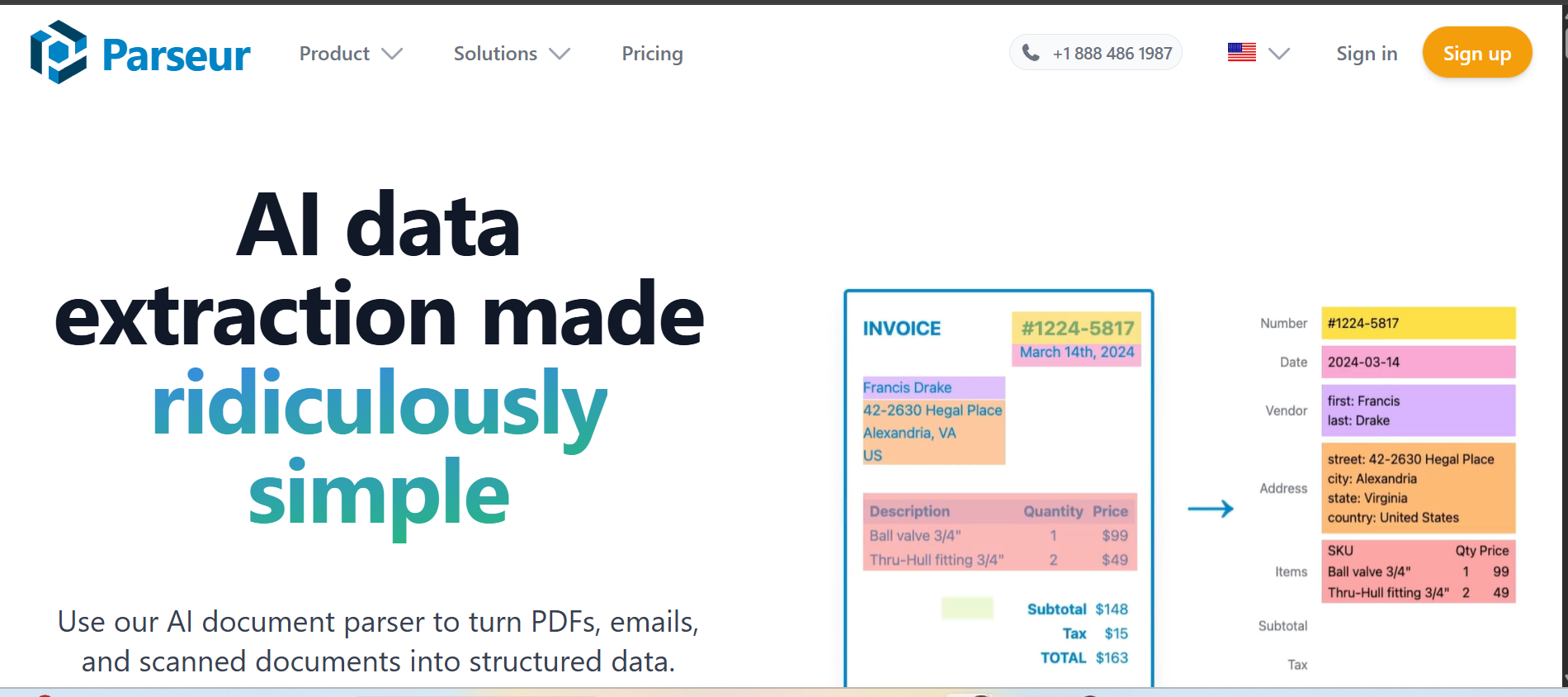
Parseur is a document parsing and data extraction tool designed for teams that need to pull structured data out of emails, PDFs, and web forms without writing code. It uses template-based parsing, where users define extraction zones on a sample document, and the tool applies that template to similar incoming files.
It's a practical fit for small-to-mid-sized teams handling predictable, recurring document formats like order confirmations, invoices, and lead capture emails.
Key Features:
- Point-and-click template builder for defining extraction fields
- Email parsing with automatic attachment handling
- Integrations with Zapier, Make, Google Sheets, and CRMs
- Supports PDF, Word, HTML email, and plain text documents
- Auto-extraction triggers when new documents arrive
Pros:
- No coding required, making it accessible for non-technical users
- Fast setup for standard, repeating document formats
- Affordable pricing tiers for smaller teams
Cons:
- Template-based logic struggles with documents that change layout frequently
- Not suitable for handwritten documents or complex unstructured content
- Limited AI capability compared to dedicated IDP platforms
Pricing: Free plan available for up to 20 documents/month.
4. Microsoft Power Automate
Microsoft Power Automate is a workflow automation platform within the Microsoft 365 ecosystem. It connects applications, automates repetitive tasks, and uses its AI Builder module to add document processing capabilities, including extracting data from invoices, receipts, business cards, and forms.
For organizations already running on Microsoft infrastructure, Power Automate offers native connectivity that reduces integration friction significantly.
Key Features:
- AI Builder for form processing, invoice extraction, and object detection
- 900+ pre-built connectors across Microsoft and third-party apps
- Cloud flows, desktop flows (RPA), and business process flows
- Deep integration with SharePoint, Dynamics 365, Teams, and Outlook
- Low-code/no-code interface with a visual designer
Pros:
- Strong fit for teams already in the Microsoft 365 environment
- Broad connector library reduces custom development work
- Regular feature updates backed by Microsoft's AI investment
Cons:
- AI Builder's document processing accuracy can require significant training data for custom models
- Complex multi-step automations can become difficult to manage and debug
- Per-user and per-flow licensing can add up for large-scale deployments
Pricing: Included with select Microsoft 365 plans. AI Builder capacity is purchased separately as add-on credits.
5. IBM InfoSphere DataStage
IBM InfoSphere DataStage is an enterprise-grade ETL (Extract, Transform, Load) platform built for large-scale data integration and pipeline management. It's designed for organizations moving and transforming massive volumes of structured data across databases, data warehouses, and enterprise systems.
Unlike document-centric tools, DataStage operates at the data infrastructure level, making it a fit for IT and data engineering teams managing complex data flows rather than front-office document processing.
Key Features:
- High-performance parallel processing for large-scale ETL pipelines
- Connectivity to major databases, cloud platforms, and enterprise applications
- Built-in data quality and transformation functions
- Integration with IBM Cloud Pak for Data and Watson-powered analytics
- Supports batch and real-time data processing
Pros:
- Handles very high data volumes with reliability and speed
- Strong governance and lineage tracking for compliance-heavy environments
- Deep enterprise integrations across IBM and non-IBM systems
Cons:
- Steep learning curve, requiring skilled data engineers to configure and maintain
- Not designed for unstructured document extraction or OCR-based workflows
- Higher total cost of ownership compared to lighter automation tools
Pricing: Custom enterprise pricing. Available as part of IBM Cloud Pak for Data or as standalone licensing. Contact IBM for a quote.
How Infrrd Can Automate Manual Data Entry?
Infrrd automates data entry by leveraging an Intelligent Document Processing (IDP) platform powered by advanced AI and machine learning. Instead of simple scanning, the system uses "agentic AI" and smart classification to understand, validate, and extract data from unstructured sources like emails, invoices, and complex forms. This "no-touch" processing model effectively eliminates the need for manual human intervention.
The platform's strength lies in its ability to handle massive volumes of data across various formats, including PDFs and scanned images, with remarkable precision. By performing cross-document checks and continuously learning from new data, Infrrd ensures high accuracy and compliance-ready results.
Furthermore, its flexible deployment options, whether on-site or in the cloud, allow for seamless integration into existing workflows. Ultimately, Infrrd transforms raw documents into usable digital data, accelerating turnaround times while significantly reducing operational costs and human error.
Conclusion
Manual data entry is increasingly becoming a liability for growth-oriented businesses in 2026. The hidden costs of human error, employee burnout, and operational bottlenecks create a ceiling that only automation can break. By transitioning to Intelligent Document Processing (IDP), organizations can transform their workflows from slow, manual grinds into high-speed, high-accuracy engines of efficiency. Embracing these smarter technologies isn't just about saving time; it’s about reallocating your most valuable asset, human talent, toward the strategic work that truly drives innovation.
FAQs
What are the risks of manual data entry?
Manual data entry increases the risk of errors, delays, inconsistencies, and compliance violations, leading to inefficiencies and potential financial or legal consequences for businesses.
What is the process of data entry?
Data entry involves receiving data, extracting relevant information, validating accuracy, correcting errors, and storing the data in a structured format for easy access and use in downstream systems.
What is data entry automation?
Data entry automation uses advanced software to extract, validate, and input data into systems with minimal human intervention, reducing errors, improving speed, and enhancing efficiency across business workflows.
What are the use cases of data entry automation?
Common use cases include invoice processing, loan document review, insurance claims verification, employee onboarding, and order processing, all of which benefit from faster, more accurate data handling.
How can businesses reduce manual data entry?
Businesses can reduce manual data entry by implementing Intelligent Document Processing (IDP), standardizing document formats, automating extraction, and integrating systems to streamline workflows and minimize human intervention.
What industries rely on manual data entry?
Industries like mortgage, insurance, finance, healthcare, and manufacturing often rely on manual data entry, leading to inefficiencies and a higher risk of errors in their data processing workflows.
Is manual data entry still relevant in 2026?
While some manual data entry still exists, automation technologies like IDP are rapidly replacing it in high-volume, repetitive workflows, enhancing accuracy and speed in document processing.
What is the difference between OCR and IDP?
OCR (Optical Character Recognition) converts images of text into editable text, whereas IDP (Intelligent Document Processing) not only extracts but also classifies, validates, and processes data across documents for actionable insights.