- One missed claim deadline cost millions—Insurance Data Extraction could’ve caught it.
- Manual reviews miss what AI sees—Insurance Data Extraction finds every risk trigger.
- Your policy data isn't lost—it’s just buried. Insurance Data Extraction digs it out.
In insurance, your most valuable insights are often trapped inside scanned forms, handwritten claims, or lengthy PDFs. Without the right insurance data extraction tools, that critical information stays hidden, slowing down claims, underwriting, and every process in between.
And the worst part? It’s rarely a system failure that causes delays. It’s stuff like an unread email, a missing tag on a policy document, or a file that never made it into the workflow. When even one document goes untouched, the entire operation can grind to a halt, costing time, trust, and money.
These slowdowns aren't anomalies—they're the norm. And while the impact might appear trivial in isolation, across a large operation, the effect compounds. Delayed underwriting decisions, missed claims deadlines, compliance breaches, or poor customer experiences all trace back to the same issue: buried data.
Most insurers have digitized their documents. But digitization isn’t enough. A digitized PDF still has to be read, interpreted, and entered manually. The real transformation begins when digitized data becomes usable data. That’s where insurance data extraction plays a critical role. Read on to know what it is, why it matters, and how to spot the right tool for a seamless workflow.
What is Insurance Data Extraction?
Insurance data extraction is the automated process of identifying, interpreting, and organising relevant information from insurance documents and for teams handling ACORD 130 submissions, AI data extraction for ACORD 130 and insurance submission forms is where those efficiency gains are most tangible. A critical factor when evaluating insurance data extraction capabilities in vendors. It’s the step that transforms unreadable files into structured, usable insights that fuel workflows.
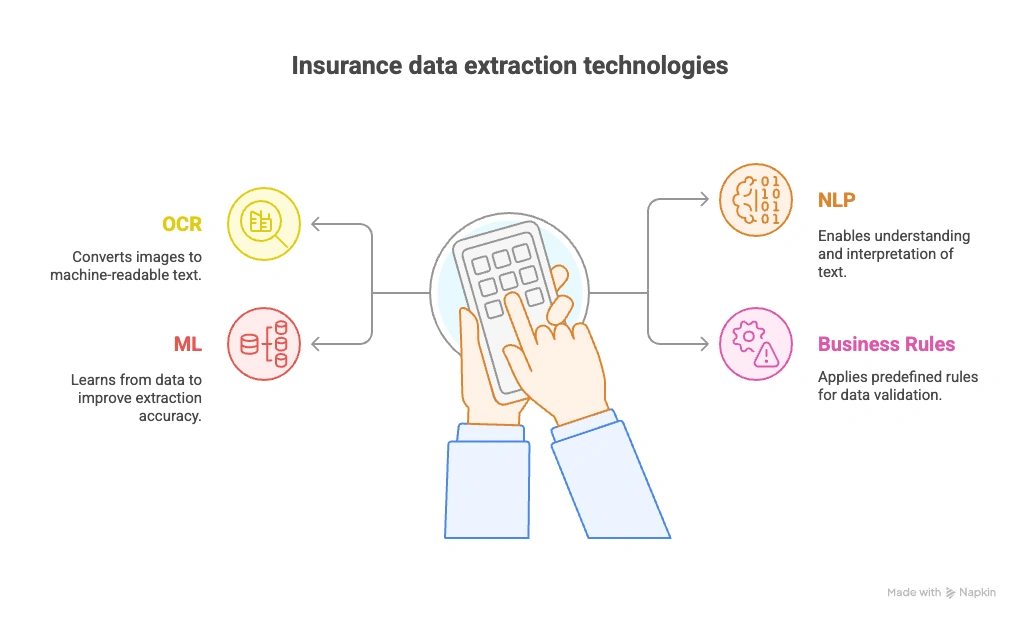
This process typically involves technologies like:
- Optical Character Recognition (OCR): Converts printed or scanned documents (like PDFs or faxes) into machine-readable text, enabling digital systems to access information locked in physical forms.
- Natural Language Processing (NLP): Understands the meaning and intent behind the words—helpful for interpreting descriptions of loss, identifying entities (e.g., names, dates), and extracting context-rich information.
- Machine Learning (ML): Learns from past document layouts and patterns to improve accuracy over time, even with messy or inconsistent document formats.
- Business Rules Engines: Apply industry-specific logic (such as validating coverage amounts or checking policy dates) to automatically flag inconsistencies and standardize the extracted data.
These capabilities form the backbone of Intelligent Document Processing (IDP) platforms tailored for insurance use cases.

Core Document Types Extracted in Insurance
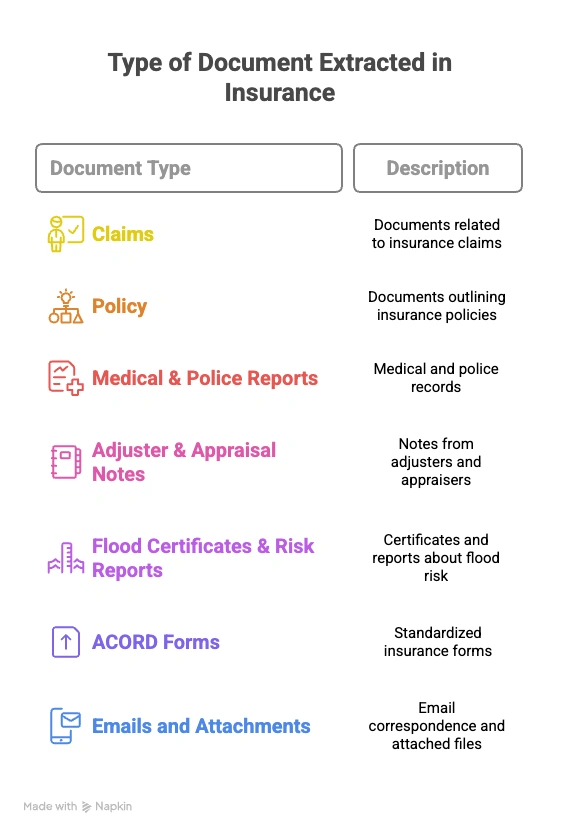
Each of these documents can vary in structure, contain freeform text, or mix visual elements like tables and images. Which is why automated extraction is preferred over manual insurance data extraction. Let’s compare.
Comparing Manual vs. Automated Insurance Data Extraction Methods
A side-by-side comparison of what your operations look like today, and what they could be with automated Insurance Data Extraction.
“The cost of manual rework in insurance averages $25 per claim, which is the financial burden of a manual process.”
Why Insurance Data Extraction Matters Across Insurance Operations
Insurance data extraction matters because the value of a document does not come from digitizing it. It comes from turning the information inside it into structured data that claims, underwriting, compliance, and downstream systems can use.
When that data is available earlier in the workflow, teams spend less time locating information, re-entering values, and checking documents manually. The impact shows up differently across each insurance function.
Faster Claims Intake and Triage
Claims teams often receive information across FNOL forms, repair invoices, damage assessments, medical records, police reports, emails, and supporting attachments. When those documents require manual review, even routine claims can wait while someone finds and enters the required information.
Automated extraction can capture the relevant claim data as documents arrive, identify missing information, validate values, and route the claim to the appropriate workflow. This gives adjusters usable information sooner while allowing straightforward cases to move forward with less manual handling. McKinsey similarly describes claims models in which digital tools and analytics support faster segmentation, routing, appraisal, and straight-through processing for simpler claims.
Faster Access to Underwriting Risk Data
Underwriters rarely make decisions from a single document. Risk information may be spread across ACORD forms, loss runs, inspections, appraisals, property schedules, medical records, and broker correspondence.
Data extraction brings the relevant information from those sources into a structured format so underwriters can review risk indicators without searching through every page manually. Structured inputs can also be validated and passed into underwriting and pricing workflows more quickly. McKinsey notes that increasingly data-rich and automated underwriting models depend on combining internal and external information to support faster risk and pricing decisions.
Stronger Compliance and Audit Traceability
Insurance teams also need to show where information came from and how it was handled.
An extraction workflow can preserve the source document, captured value, review status, and other processing information alongside the structured output. This makes it easier for compliance and audit teams to trace important values back to their supporting evidence instead of reconstructing the process from folders, emails, and spreadsheets.
The value is not simply faster document processing. It is having a more consistent record of the information used throughout the workflow.
Less Repetitive Work Across Insurance Operations
The same insurance information is often touched by several teams before a transaction is complete. A value may be read from a document, typed into one system, checked against another document, and then entered again somewhere else.
Extracting and validating that information earlier reduces repeated handling and gives downstream systems access to structured data sooner. Teams can spend more time investigating exceptions, reviewing complex cases, and making decisions instead of repeatedly locating and entering information.
For insurance leaders, this is the broader business case for data extraction: reduce the distance between receiving a document and having reliable data that people and systems can act on.
How to Implement Insurance Data Extraction: A Step-by-Step Framework
Implementing insurance data extraction is not just about choosing an AI model and connecting it to a document repository. Insurers need to define what data should be captured, how extracted values will be validated, what happens when the system is uncertain, and where the approved data should go.
A practical implementation can follow these eight steps.
1. Establish Your Current Processing Baseline
Start by measuring the workflow you want to improve. For a claims, underwriting, or policy servicing process, document:
- Documents processed per day or month
- Average processing time per document or submission
- Number of fields manually entered
- Manual review rate
- Error and rework rate
- Cost per document or transaction
- Average turnaround time
This gives you a baseline for comparing the automated workflow later. For example, if an underwriting team receives ACORD forms, loss runs, property schedules, and broker emails, measure how much time analysts currently spend opening files, locating required information, entering data, and checking it.
2. Define the Documents and Fields You Need
Do not start by trying to automate every insurance document. Choose one workflow and specify exactly what the system needs to extract. For a submission-intake workflow, this could include:
- ACORD forms: Named insured, addresses, limits, deductibles, business information
- Loss runs: Claim dates, incurred amounts, paid amounts, reserves, loss causes
- Broker emails: Submission details, requested coverage, attachments
- Property schedules: Locations, occupancy, construction type, insured values
Create a field-level schema that defines the expected output, data format, and required fields for each document type.
3. Define Validation Rules Before Automating the Workflow
Extraction alone does not make insurance data usable. Determine how each important value should be checked before it moves downstream. Validation may include:
- Confirming dates are in the expected format
- Checking whether policy numbers match across documents
- Comparing named insured information across forms
- Verifying that totals reconcile
- Checking required fields for missing values
- Validating extracted values against business rules
- Comparing related fields across multiple documents
This turns document extraction into a controlled data-processing workflow rather than simple OCR.
4. Decide What Happens When AI Is Uncertain
Not every document should move through the process automatically. Define confidence and exception-handling rules before launch. For example:
- High-confidence values can continue through the workflow
- Lower-confidence fields can be sent to a reviewer
- Missing mandatory fields can trigger an exception
- Conflicting information across documents can be flagged
- Unsupported documents can be routed to a manual queue
Reviewers should be able to see the extracted value alongside the original source so they can verify or correct it quickly.
5. Map the Extracted Data to Downstream Systems
Decide where each validated field needs to go. Depending on the workflow, extracted insurance data may be sent to:
- Policy administration systems
- Claims platforms
- Underwriting workbenches
- CRM systems
- Data warehouses
- Compliance workflows
- Guidewire, Duck Creek, or other insurance platforms
Define the field mappings, output format, API requirements, and routing rules before production deployment.
6. Test the Complete Workflow, Not Just Extraction Accuracy
A model can extract individual fields accurately and still fail in production if the surrounding workflow breaks. Test the system across several layers:
Document testing: Can it classify and process the document types you expect?
Field testing: Are required values extracted correctly?
Validation testing: Do business rules catch missing or conflicting data?
Exception testing: Are uncertain values routed to the correct reviewer?
Integration testing: Does validated data reach the correct downstream fields?
End-to-end testing: Can a real submission or claim move successfully from document intake to structured output?
Include difficult examples such as low-quality scans, handwritten information, tables, multi-document packages, unfamiliar layouts, and missing pages.
7. Run a Controlled Pilot and Measure the Results
Start with a defined workflow, document set, and user group rather than deploying automation across the organization at once. Compare pilot results against the baseline established in Step 1. Track metrics such as:
- Field-level extraction accuracy
- Processing time
- Manual review rate
- Exception rate
- Straight-through processing rate
- Rework caused by incorrect data
- Cost per document
- Documents processed per hour or day
Review the exceptions as closely as the successful transactions. They reveal where extraction models, validation rules, or workflow logic need adjustment.
8. Expand Based on Proven Results
Once the first workflow performs consistently, expand the system in controlled stages.
For example:
ACORD intake → loss runs → underwriting submissions → policy servicing → claims documents → reinsurance documents
For every new document type or workflow, repeat the same process:
Define → extract → validate → test → measure → improve.
The goal is not simply to process more documents automatically. It is to produce reliable insurance data that downstream teams and systems can use with less manual intervention.

Why Legacy Systems Can’t Handle Insurance Data Extraction Today?
Traditional OCR or IDP tools weren’t built for the complexity of insurance workflows. Here’s what they miss:
- Layout Variance: One FNOL form differs drastically from another.
- Mixed Media: Images, tables, signatures, text blobs—all in one file.
- Language & Jargon: Adjuster notes are messy, narrative, and full of shorthand.
- Contextual Triggers: Identifying red flags like “fire loss within 30 days of policy start.”
Without advanced AI, especially LLMs fine-tuned for insurance, your system is just reading pixels, not understanding risk.
Bringing It All Together: A Step‑by‑Step Path to Scale
- Identify the pain points: Start with document-heavy workflows across claims, underwriting, and billing.
- Prioritize pilot-ready areas: Claims intake and policy issuance deliver the fastest returns.
- Build the ROI case: A 50% reduction in data entry costs on a $10M workflow means $5M in savings.
- Choose the right partner: Work with a vendor like Infrrd, known for strong SLAs and proven deployments.
- Launch a pilot: Process 500–1,000 documents from real channels like inboxes or vendor portals.
- Track what matters: Measure accuracy, turnaround time, user satisfaction, and error reduction.
- Scale with confidence: Expand to more lines of business, document types, and geographies.
- Turn data into intelligence: Use extracted data to surface trends, improve pricing, and catch fraud before it happens.
6 Things to Check in an Insurance Data Extraction Platform
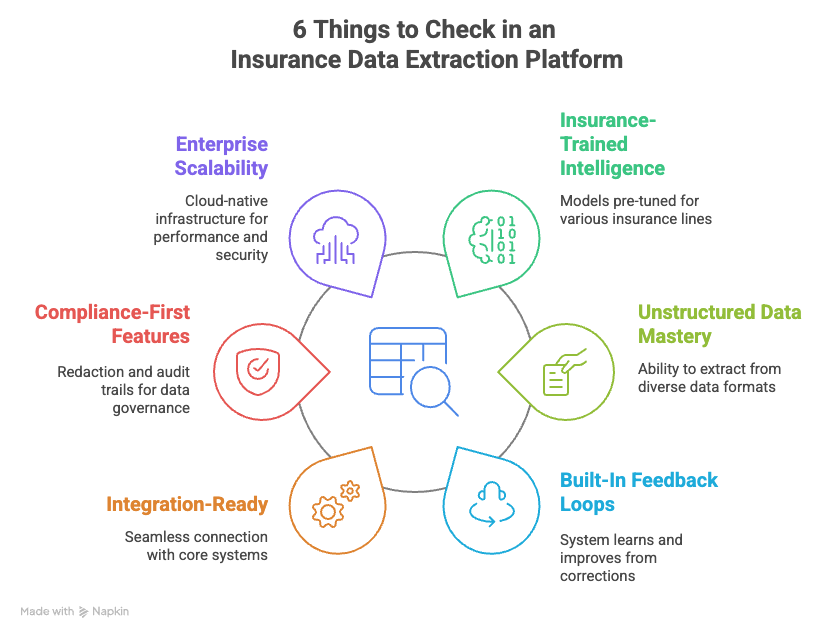
- Insurance-trained intelligence: Models pre-tuned for P&C, Life, Health, and Specialty lines
- Unstructured data mastery: Extract from tables, handwriting, scanned forms, and irregular layouts
- Built-in feedback loops: Learns and improves from corrections automatically
- Integration-ready: Connects seamlessly with core systems like Guidewire and Duck Creek
- Compliance-first features: Redaction, audit trails, and robust data governance baked in
- Enterprise scalability: Cloud-native infrastructure that meets performance and security needs
Why Infrrd is the go-to choice for Insurance Data Extraction?
Infrrd is purpose-built for the complexity of insurance workflows. Whether you’re processing scanned FNOL forms, handwritten appraisals, or PDF bundles of COIs and endorsements, Infrrd adapts and delivers.
Domain-Specific Intelligence
- Pre-trained models for P&C, Life, Health, and Specialty lines
- ACORD, ISO, loss run, and binder formats handled natively
Zero-Template Approach
- Infrrd doesn't rely on static templates
- Layout-agnostic extraction adapts to every carrier, every form
See it in action
Enterprise-Scale Efficiency
- Processes over 1 million insurance documents/month
- Prioritizes SLAs with intelligent queueing
- Supports real-time routing into claims and policy systems
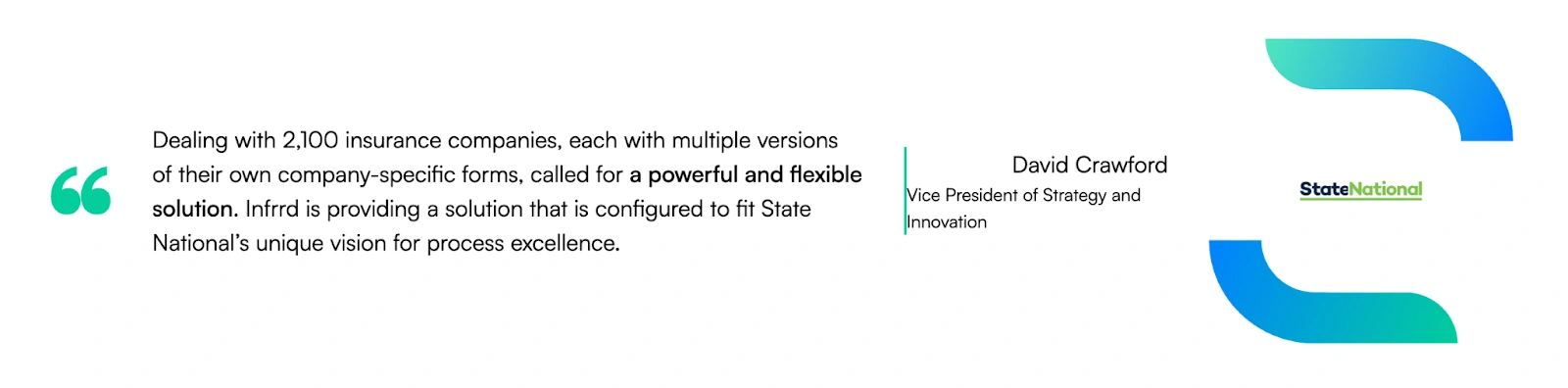
The best proof? The ones who use it at scale
Even Analysts Agree: Infrrd Leads the Pack
Back your decision with Everest Group’s latest analyst assessment. See how Infrrd stacks up—and why buyers trust us to automate what others can’t.
Read the analyst report.

Future Trends to Watch for Insurance Data Extraction
Zero-shot extraction
Extract data from unseen document formats without retraining.
- Useful for handling new claim templates or policy documents instantly.
Multi-document chaining
Connect data across multiple documents to build a unified view.
- Think of linking claim forms, emails, and police reports to evaluate risk faster.
Conversational review
Use GenAI to “chat” with claims files.
- Ask: “What was the insured value?” and get a direct answer.
Context-aware compliance tagging
Auto-flag PII or sensitive data based on context.
- Helps ensure GDPR/HIPAA compliance during data processing.
In a Nutshell
If your underwriting, claims, and compliance teams are still manually reading through PDFs and typing values into systems, you're not running lean, you’re bleeding money.
Insurance is about speed, accuracy, and trust. Intelligent data extraction powers all three.
It’s time to stop letting documents slow you down. Insurance data extraction is not IT’s problem. It’s a C-suite opportunity.
And the leaders who understand this? They’re already processing faster, selling smarter, and winning customer trust.
Want to see how? Let Infrrd show you. Book a demo.

Bhavika Bhatia is a Product Copywriter at Infrrd who blends curiosity with clarity to craft content that makes complex tech feel simple and human. With a background in philosophy and a knack for storytelling, she turns big ideas into meaningful narratives. Outside of work, you’ll find her chasing the perfect café corner, binge-watching a new series, or lost in a book that sparks more questions than answers