- Automated redaction combines OCR, AI, rules, and human review to protect sensitive document information consistently.
- Secure redaction must permanently remove protected data, not simply hide visible text behind black boxes.
- Enterprises should test accuracy, format coverage, auditability, integrations, and exception handling before choosing redaction software.
A compliance manager must send hundreds of customer files to an external review team. Each file may contain names, Social Security numbers, account numbers, medical details, or other information the reviewer does not need. Manually locating and redacting every sensitive field takes hours, and a single missed entry can expose private data. The stakes are high: the U.S. Department of Health and Human Services reported 663 breaches of unsecured protected health information affecting 500 or more individuals in 2024, together exposing data for roughly 242.9 million people.
Automated data redaction helps reduce unnecessary exposure by detecting sensitive information and removing or permanently obscuring it before documents are stored, shared, or reviewed.
Rather than having employees inspect every page manually, organizations can combine OCR, AI, rules, and review workflows to identify sensitive fields across large document sets, making redaction faster, more consistent, and easier to track.
What Is Automated Data Redaction?
Automated data redaction is the process of using software to identify and permanently remove or obscure sensitive information from documents, images, or digital files. The system can detect data such as names, Social Security numbers, medical details, and financial information, then redact those values based on defined business and privacy rules.
Data Redaction vs. Data Masking vs. Encryption
Redaction, masking, and encryption all protect sensitive information, but they do so in different ways. The main differences involve permanence, access to the original value, and intended use.
A redacted document should no longer expose the protected information in its visible content, searchable text layer, hidden objects, or other accessible document elements.
How Automated Data Redaction Works
Automated redaction combines document reading, sensitive-data detection, business rules, and review controls. Each stage helps determine what information should be removed and whether the final document is safe to release.
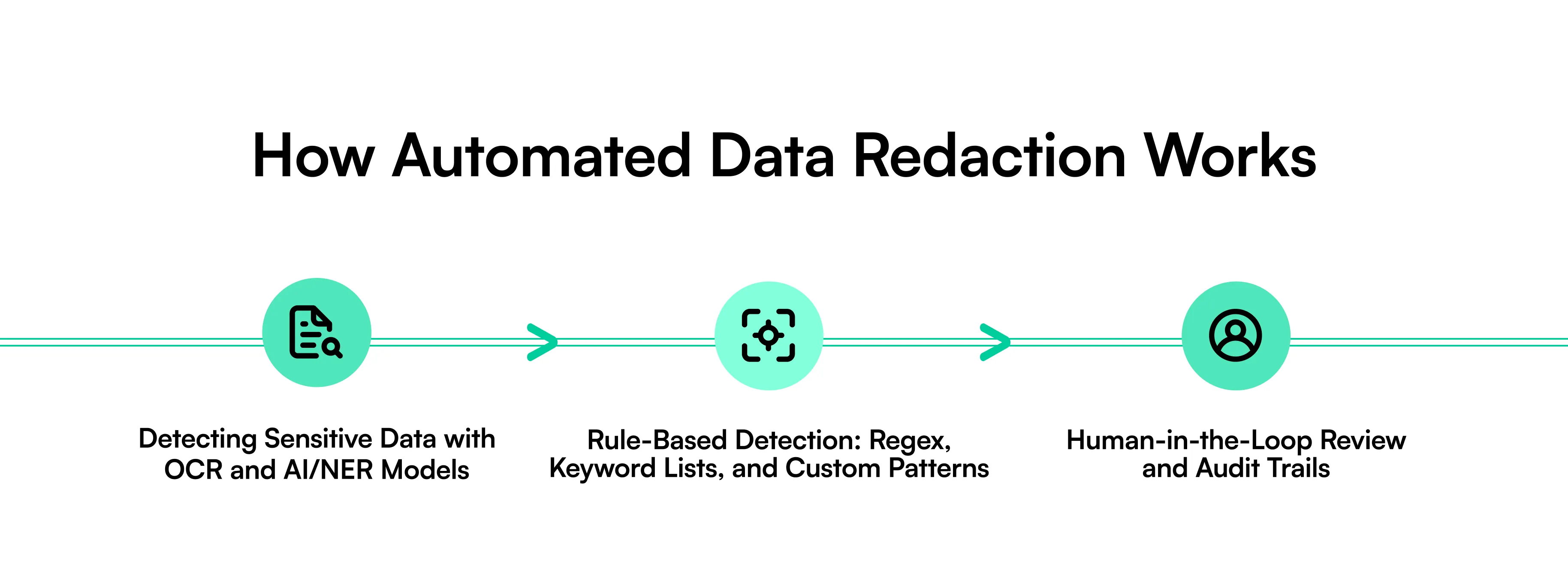
Detecting Sensitive Data with OCR and AI/NER Models
The first step is reading the document. OCR converts scanned pages and images into machine-readable text. AI and Named Entity Recognition, or NER, can then identify entities such as names, addresses, organizations, dates, medical terms, identification numbers, and financial information.
Models can also use document context. For example, a number beside “SSN” should be treated differently from a number listed as an invoice total.
Rule-Based Detection: Regex, Keyword Lists, and Custom Patterns
Rules add another detection layer. Regular expressions can identify structured values such as Social Security numbers, credit card numbers, phone numbers, account numbers, and email addresses.
Teams can also create keyword lists and document-specific patterns. A healthcare organization may target patient IDs, while a lender may define rules for loan numbers, account information, or borrower details.
Human-in-the-Loop Review and Audit Trails
Some documents require human review, especially when detection confidence is low or context affects whether information should be removed.
Reviewers can confirm flagged fields, correct missed detections, and approve outputs. Audit trails can record what was detected, what was redacted, who reviewed the file, and what changes were made. This creates evidence for internal controls and compliance reviews.
Key Benefits of Automated Data Redaction
Organizations process far more documents than manual review teams can reasonably inspect field by field. Automation helps increase processing capacity while applying the same redaction policies across documents and teams.
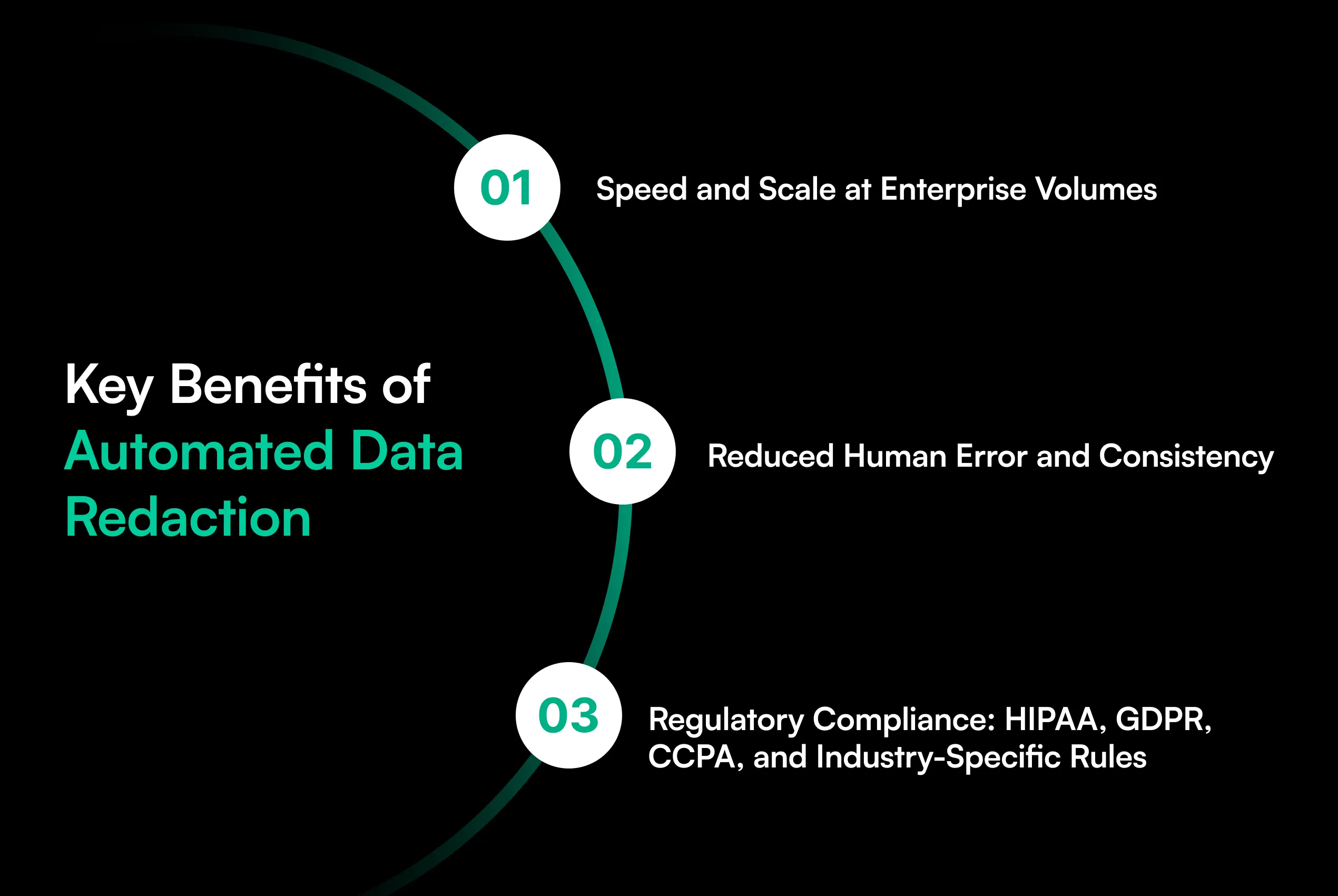
Speed and Scale at Enterprise Volumes
A person may need several minutes to review a document for sensitive information. Multiply that work across thousands or millions of pages, and redaction becomes a major operational task.
Automated data redaction can scan large document batches, locate targeted information, apply redactions, and route uncertain cases for review. Batch scanning and automatic routing let teams process higher volumes without increasing manual work at the same rate.
Reduced Human Error and Consistency
Manual redaction depends heavily on attention. Reviewers can miss values, interpret rules differently, or overlook information buried in tables, attachments, and long documents.
Automation applies defined detection rules consistently. Human reviewers can then focus on exceptions instead of searching every page from the beginning.
Regulatory Compliance: HIPAA, GDPR, CCPA, and Industry-Specific Rules
Privacy laws and industry rules place controls on how organizations collect, use, disclose, and protect personal information.
Redaction can support privacy programs under frameworks such as HIPAA, GDPR, and CCPA. It does this by reducing the sensitive information contained in documents used for a specific business purpose. However, redaction alone does not make an organization compliant. Access controls, retention policies, security controls, legal requirements, and operational procedures still apply.
What Data Should Be Automatically Redacted?
The right redaction policy depends on why a document is being used and who will receive it. Organizations should remove sensitive information that the recipient does not need for the stated purpose.
Personally Identifiable Information (PII)
PII can include names, home addresses, email addresses, phone numbers, dates of birth, Social Security numbers, passport numbers, driver's license numbers, employee IDs, signatures, and other information that can identify a person.
Organizations may redact individual fields or combinations of fields based on their data-sharing policies.
Protected Health Information (PHI) and Financial Data
Healthcare documents can contain patient names, medical record numbers, diagnoses, treatment details, insurance information, and other PHI.
Financial documents may contain bank account numbers, routing numbers, card information, transaction details, income data, tax identifiers, loan numbers, and payment information. Redaction can limit exposure when these documents move between teams or outside parties.
Automated Data Redaction Use Cases by Industry
Redaction requirements differ by industry because each sector handles different document types, regulations, and sensitive fields. Automation is especially useful where organizations repeatedly process large document volumes with predictable privacy requirements.
Insurance and Financial Services
Insurers work with claims forms, medical records, identification documents, payment information, policy records, and supporting evidence. Automated redaction can remove sensitive customer information before documents are shared with adjusters, vendors, investigators, or other parties.
Banks and lenders can apply similar controls to bank statements, tax documents, loan files, credit reports, and identity documents. Redaction can also help teams create safer document copies for audits, testing, analysis, and external review.
Healthcare and Legal/eDiscovery
Healthcare organizations may need to remove patient identifiers before sharing records for research, reviews, analytics, or other approved uses.
Legal teams face a different scale problem. Discovery collections can contain thousands or millions of pages. Automated systems can identify personal information, confidential values, account details, and other defined entities before documents enter production or review workflows. Attorneys can then inspect exceptions that require legal judgment.
How to Choose an Automated Data Redaction Solution
A redaction tool should do more than place black boxes over text. Buyers should examine how the system identifies information, handles document formats, verifies permanent removal, connects with existing systems, and records each action.
Key Evaluation Criteria: Accuracy, Format Coverage, Compliance, Integration
Start with detection accuracy. Test the solution on your actual documents, including clean PDFs, scanned pages, tables, handwriting, rotated pages, and low-quality images.
Next, examine format coverage. A system that works well on digital PDFs may perform differently on scanned contracts, claims files, financial statements, images, or large document packets.
Check whether redaction removes information from the underlying file rather than simply hiding visible text. Searchable OCR layers, annotations, metadata, embedded objects, and other hidden content may also require treatment.
Organizations should also evaluate configurable rules, confidence scores, exception handling, role-based access, audit logs, APIs, batch processing, and integration with document repositories or downstream applications.
Finally, match the controls to your compliance requirements. No redaction product can replace a complete privacy and security program.
How Infrrd Approaches Redaction Within End-to-End Document Automation
Infrrd has redaction as part of broader enterprise data protection and document processing rather than as an isolated editing step. It provides end-to-end security with encryption, isolation, and redaction, along with access controls, audit trails, secure file handling, retention controls, and encryption options.
Within document processing, Infrrd uses AI to classify documents, identify fields, extract information, validate results, and route exceptions for review. Its financial document automation capabilities also include field-level confidence scores and audit trails for extracted values.
This type of workflow can support organizations that need sensitive-data controls alongside document classification, extraction, validation, and review.
For buyers, the important question is still specific: test the required redaction use case with your documents and confirm supported formats, detection rules, permanent-redaction behavior, review controls, integrations, and compliance requirements before deployment.
Conclusion
The compliance manager from our opening problem does not need another employee checking hundreds of pages with a black marker tool. The real need is a repeatable process that finds sensitive information before a document reaches the wrong person.
Automated data redaction provides that control by combining OCR, AI-based detection, rules, and human review. It can process large document volumes while applying consistent privacy policies.
The strongest solutions also provide auditability, broad document support, permanent removal of protected information, and integration with existing workflows.
As document volumes grow, organizations need to decide not just who can access a file, but exactly what information that person should be allowed to see.
Frequently Asked Questions
1. What is automated data redaction?
Automated data redaction uses software to detect sensitive information in documents and permanently remove or obscure selected content based on defined privacy and business rules.
2. What types of information can automated redaction detect?
Systems can detect names, addresses, Social Security numbers, account numbers, medical details, email addresses, phone numbers, dates, financial information, and custom data patterns.
3. How is automated redaction different from manual redaction?
Manual redaction requires a person to inspect and edit each document. Automated redaction uses software to locate targeted information across documents before routing exceptions for review.
4. Is placing a black box over text considered secure redaction?
Not always. A visual box may leave the underlying text accessible. Proper redaction should remove protected information from relevant document layers and generated outputs.
5. Can automated redaction work on scanned documents?
Yes. OCR can convert scanned document content into readable text, allowing redaction systems to locate sensitive fields within scanned PDFs, images, and other supported formats.
6. Does automated data redaction support HIPAA compliance?
Redaction can support HIPAA privacy controls by limiting exposure of PHI. Organizations still need appropriate security, access, retention, disclosure, and operational controls.
7. Can redaction software identify custom business information?
Many systems support custom rules, patterns, keywords, or field definitions that allow organizations to detect internal IDs, account structures, document-specific values, and other sensitive information.
8. Should every detected piece of PII be redacted?
No. Redaction should reflect the document's purpose, recipient, legal requirements, and internal policy. Some workflows require certain identifying information to remain visible.
9. How accurate is automated data redaction?
Accuracy depends on document quality, OCR performance, detection models, field types, and configuration. Buyers should test performance against representative documents before selecting a solution.
10. What should enterprises look for in automated redaction software?
Enterprises should evaluate detection accuracy, permanent removal, format support, custom rules, confidence scoring, human review, audit trails, security controls, APIs, scalability, and integration options.




.webp)